Trash And Lifecycle
Flow Steward keeps many destructive actions soft-deleteable first. Trash is an administrator-only surface for recovering or permanently purging supported deleted records.
Workspaces, projects, and MCP connectors use lifecycle plans for restore and purge. Other supported entity types use an ordinary confirmation. A lifecycle plan shows dependencies, selected nodes, cleanup groups, and blocking conflicts; do not infer that every deleted record has a plan tree.
Restore an object
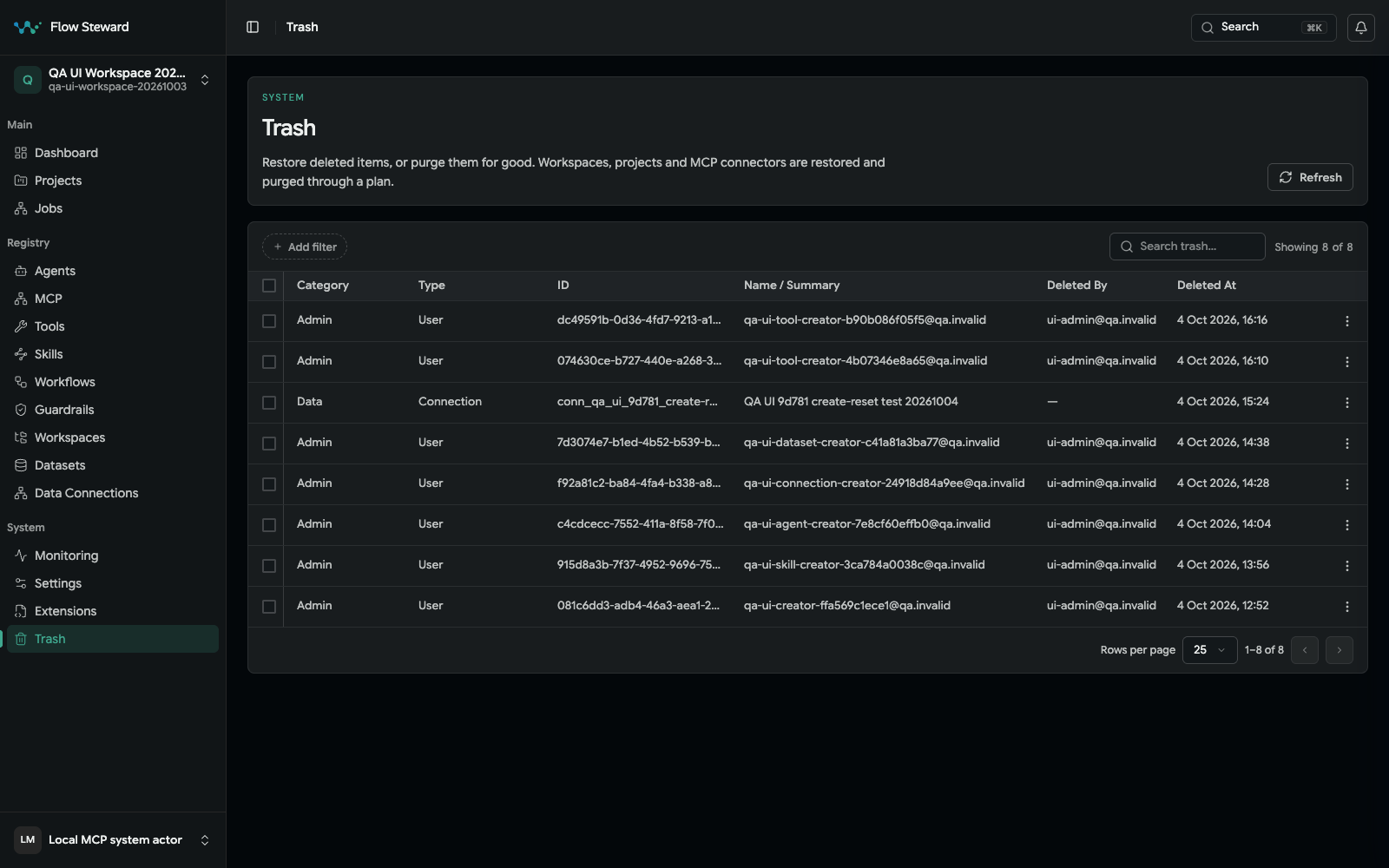
The administrator Trash surface in the synthetic fixture. No restore or purge was confirmed during capture.
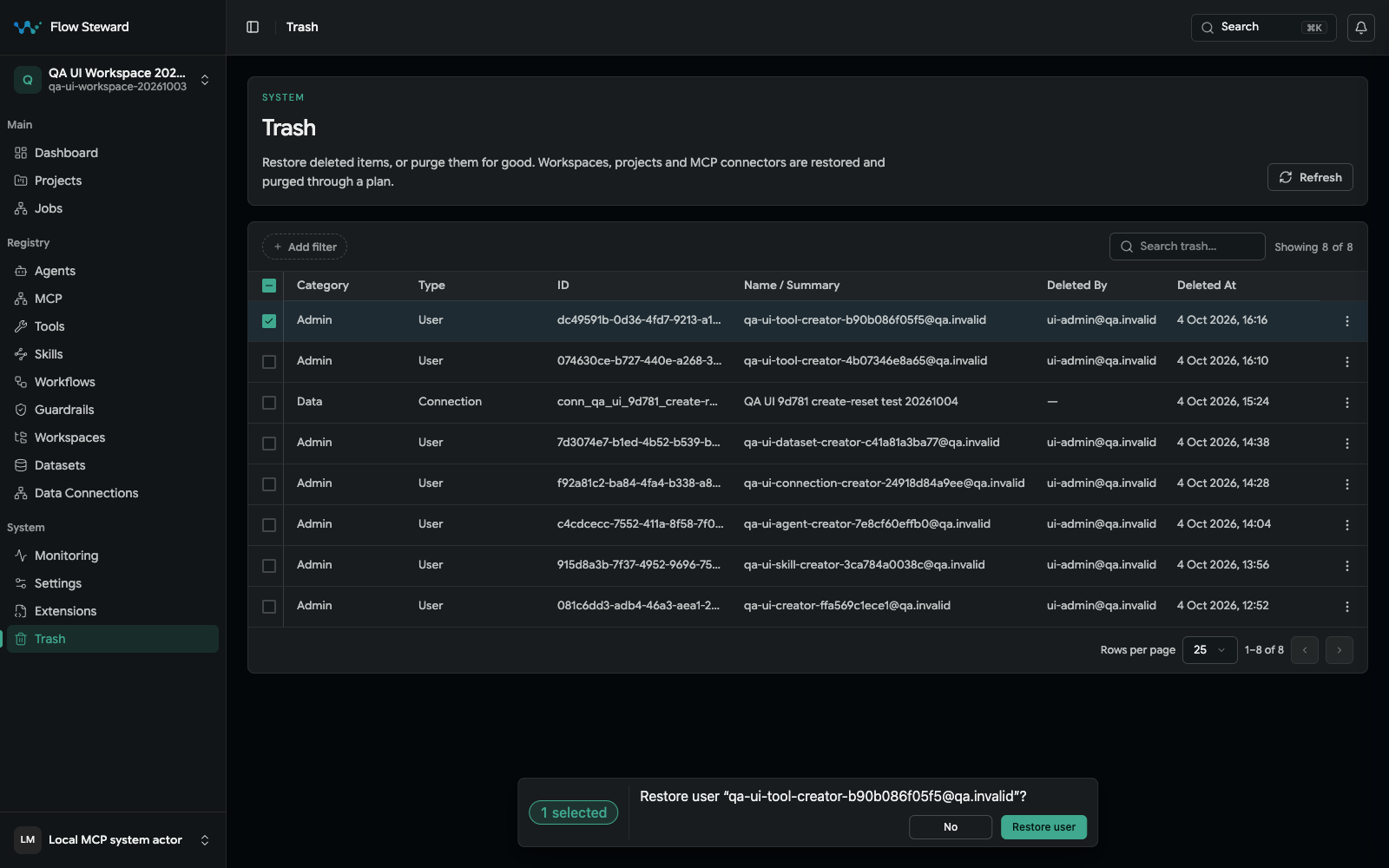
An ordinary synthetic user restore confirmation. The operator chose No after capture; no record was restored.
- Open
Trash. - Filter by entity type.
- Find the deleted object.
- Review the object name, type, and deletion time.
- Choose Restore. For a workspace, project, or MCP connector, review and confirm its single-object plan; for another supported type, confirm the ordinary action.
- Open the restored object and verify its dependent records.
Before permanent deletion
Check whether the object is still referenced by:
- workflows;
- projects;
- datasets;
- data connections;
- agents;
- skills;
- tools;
- notification routes;
- historical jobs.
Permanent deletion should be planned, not treated as routine cleanup.
Use a lifecycle plan
Use this path for one workspace, project, or MCP connector at a time. The UI rejects mixed ordinary/plan-backed selections and multiple plan-backed objects.
- Open
Trash. - Choose Restore or Purge for the single plan-backed object.
- Review the plan tree.
- Check selected nodes.
- Read warnings, validation errors, and dependency conflicts.
- Unselect any optional nodes that should not be affected.
- Confirm only when the selected tree matches the intended change.
Other entity types use ordinary confirmation. Purge is permanent; the API does not allow direct purge of workspaces, projects, or MCP connectors without their required plan.
Delete or reorganize a workspace
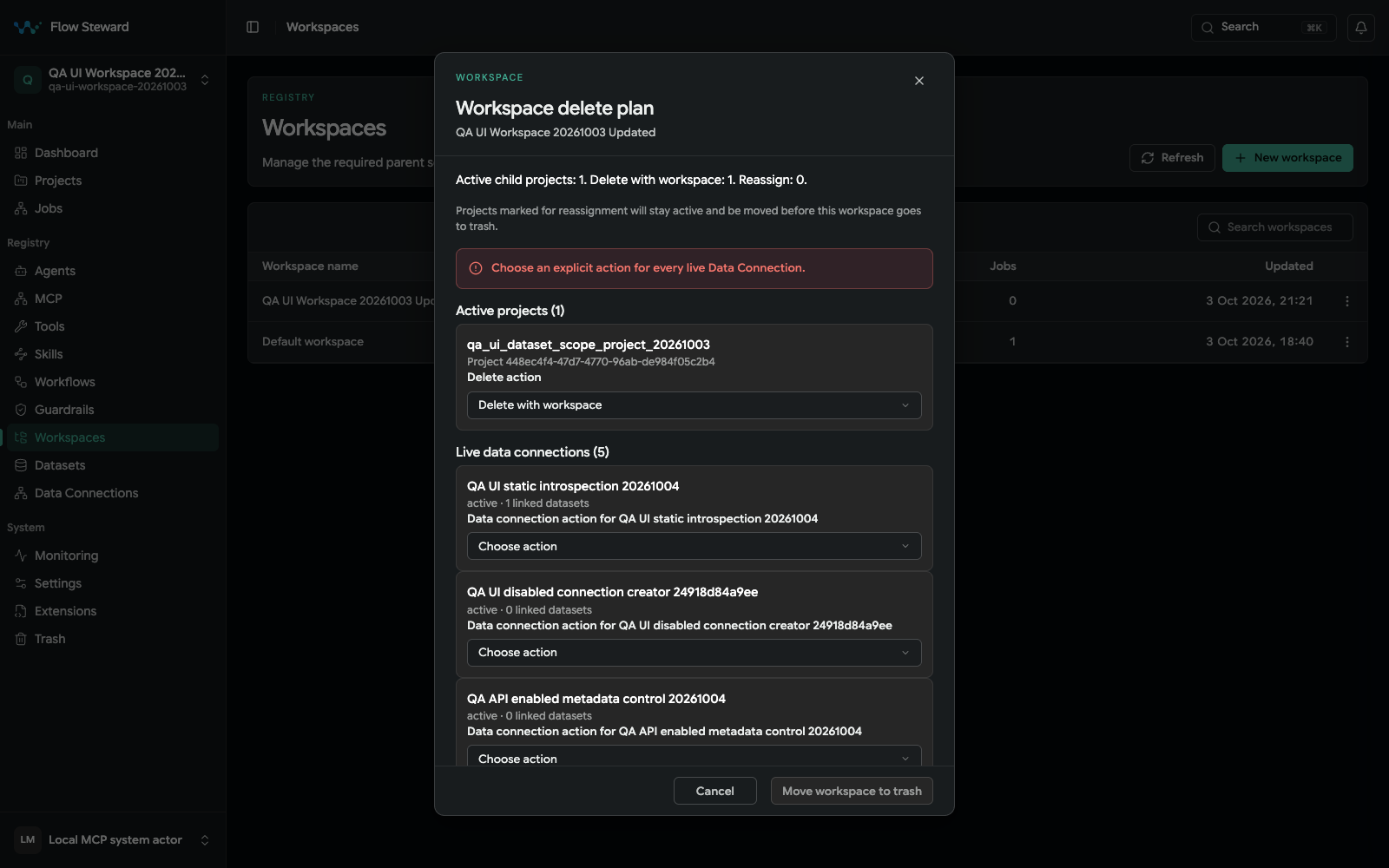
The plan blocks submission until every live Data Connection has an explicit action. Capture stopped at the disabled confirmation and the plan was cancelled.
Workspace deletion has a dedicated plan because workspaces can contain projects and live Data Connections.
When moving a workspace to trash:
- Open
Registry > Workspaces. - Select the workspace.
- Choose
Move to trash. - Review the workspace delete plan.
- For each active child project, choose whether to move it to trash or reassign it to another active workspace.
- For every live Data Connection, explicitly choose Block, Reassign, or Delete. A reassignment also requires a target workspace.
- Resolve linked datasets before reassigning or deleting their connection; those dependencies block the plan.
- Confirm the plan only after both the project and Data Connection decisions are complete.
If no alternative active workspace is available, active child projects are planned for trash with the workspace. Moving child projects alone does not make the workspace deletable when a live Data Connection is unresolved. If only part of a workspace should be retired, reassign the projects and connections that should continue first.
Restore from history
Some registry and project screens keep revision history. Use history restore when the object still exists but a recent configuration change caused the wrong behavior. Use Trash restore when the whole object was deleted.
Connection and dataset lifecycle
Data connections cannot be deleted while datasets depend on them. Remove or re-scope dependent datasets first, then delete the connection.
Datasets should be disabled before deletion when you want to confirm no workflow depends on them.