Extensions
Extensions let Flow Steward work with external providers without importing provider-specific code into the core server.
Extension kinds
| Kind | Purpose |
|---|---|
task_provider | Receive or normalize external tasks and webhooks. |
notification_provider | Send notifications and receive approval callbacks. |
tool_provider | Expose tools, dataset connectors, or provider actions. |
Provider implementations are distributed separately from the core application.
The core checkout's extensions/ directory is an installation location, not a
shipped catalog of built-in integrations. Local leftover directories or cached
files do not prove a provider is available.
The Extension Catalog under Extensions > Marketplace lists separately
published integrations from Flow Steward and community contributors. Standard
configuration uses the official catalog; available entries change as releases
are published. Use it or a reviewed release bundle to discover
what is actually available. Confirm its version, declared features, provenance,
required credentials, and deployment compatibility. A catalog entry is not proof
of installation, configuration, fresh model verification, or runtime health.
LLM-provider extensions can project verified model routes into the model catalog. Dataset-provider extensions can project scoped data connectors. Both still require the owning extension's configuration and health/verification gates.
Install or enable an extension
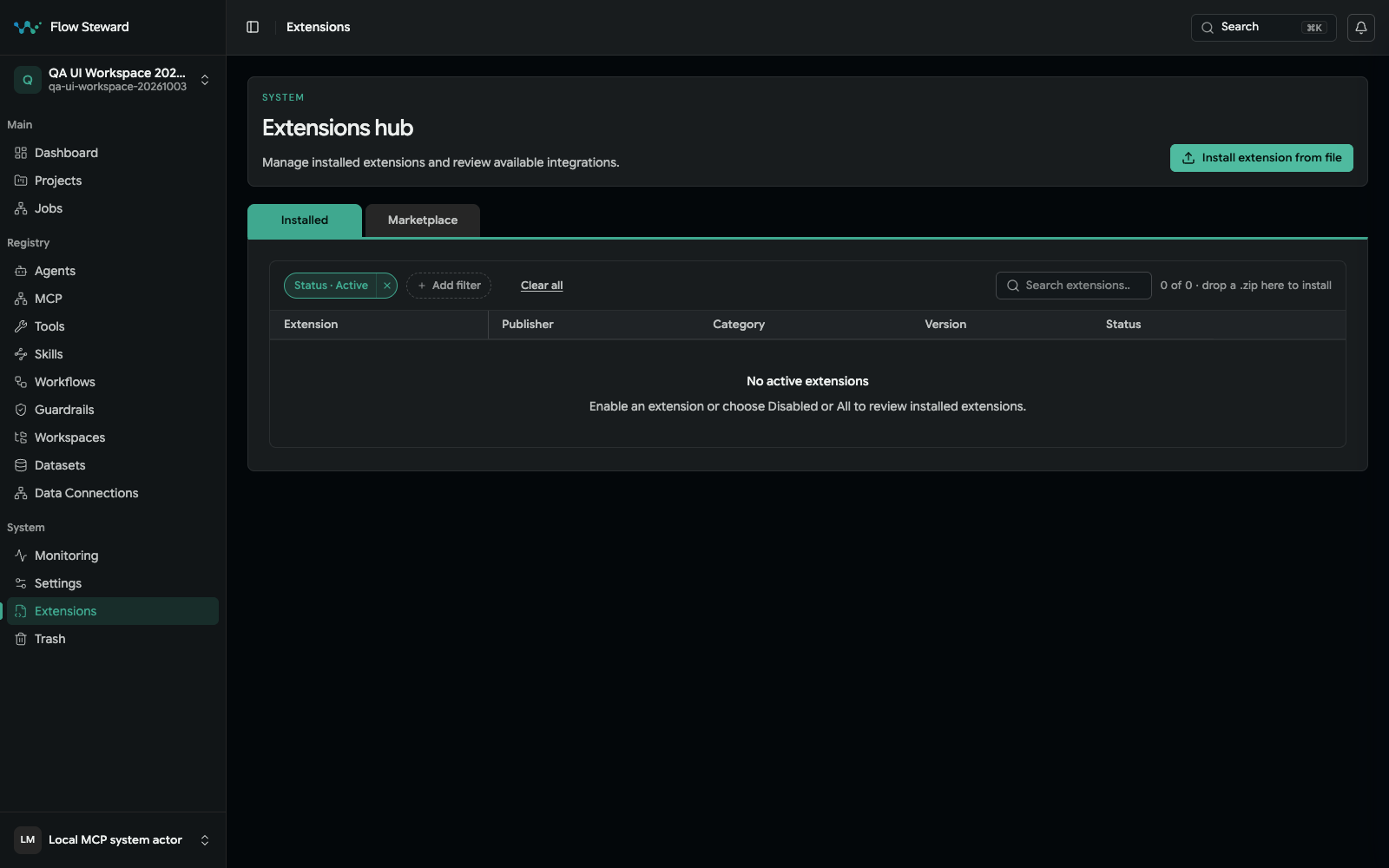
The Extensions hub from the reviewed application revision. No bundle was installed, enabled, or invoked during capture.
- Open
Extensions. - Open Marketplace, review a catalog entry, and choose Install. To
install a
.ziparchive you received or built, choose Install extension from file, or drop the.zipon the extensions list. - Review the install result and configure its required credentials and connections before enabling it.
- Check declared features, scopes, callbacks, and health endpoint.
- Enable the extension.
- Run
Health. - Invoke or test a low-risk action.
- Configure callback registrations if the provider sends webhooks or approval responses.
Install, enable, configure, health-check, and test are distinct gates. Record the exact bundle version and provenance, then plan dependency removal before uninstall. Uninstall can be blocked by workflows, connections, routes, datasets, or artifacts; review its plan/revision rather than assuming disable is cleanup.
Only administrators install, update and uninstall extensions. On a Compact installation, install archives through the UI (or the install API); copying a folder into the server is not an install.
Update an extension from a file
Install a .zip of a higher version with Install extension from file.
Flow Steward recognises the installed extension and updates it in place: it
runs the release's data migrations, keeps the extension's configuration and
connections, and keeps a disabled extension disabled. If the update fails, the
previous version stays active. The same version or an older one is refused.
An archive may be built for one server architecture (its name ends in
-linux-amd64 or -linux-arm64). Install the one that matches your server;
the other is refused.
Catalog installation and model dependencies
Catalog installation pins an extension ID, version, and release digest. Review requested browser authority separately when the installation requires it. When a newer release is listed, Update available leads to Update to X on the catalog entry. An administrator can apply that release through the same verified installer used for installation. Review additional permissions and data migrations first. Updates are deliberate; a disabled install remains disabled. Same-version reinstallation and downgrades through the catalog are refused.
See Workflow and Extension Catalogs for catalog browsing, installation, troubleshooting, and contribution instructions.
Before uninstalling an LLM provider, review dependent project defaults, per-agent overrides, workflows, and project/agent model selections in the uninstall plan. Removing and reinstalling a provider can create a new provider identity; old saved model routes may then be unavailable and need explicit reselection.
Operate an extension
Use the extension page to answer:
- Is the extension installed?
- Is it enabled?
- Does health pass?
- Which callbacks are registered?
- Which actions or dataset connectors does it provide?
- Did the last invocation succeed?
If an extension provides dataset connectors, those connectors appear in
Registry > Data Connections and Registry > Datasets.
Custom logic in workflows
Flow Steward has no step that runs code typed into a workflow. Custom logic is written as an extension, tested and versioned like other code, and then used in workflows through the Extension tools step. See Custom code and Build An Extension.
Safe operating habits
- Keep provider credentials outside docs and source control.
- Enable only extensions that are needed.
- Test health after deployment or credential rotation.
- Keep callback URLs and secrets provider-specific.
- Disable an extension before deleting dependent workflows, notification routes, or datasets.