Queues, Concurrency, Retries, And DLQ
Queues control when accepted work can run. Retries and dead-letter queues help Flow Steward recover from transient failures without hiding persistent problems.
Signals to watch
| Signal | Why it matters |
|---|---|
| Ready queue depth | Work is accepted faster than workers can process it. |
| Active leases | Workers currently own jobs or steps. |
| Stuck jobs | Work stopped progressing past the expected runtime window. |
| Retry rate | A dependency may be flaky or a workflow may be misconfigured. |
| Dead-letter rate | Events or runtime tasks exceeded retry policy or failed permanently. |
| Worker liveness | No worker can make progress if the process is down or isolated. |
Triage order
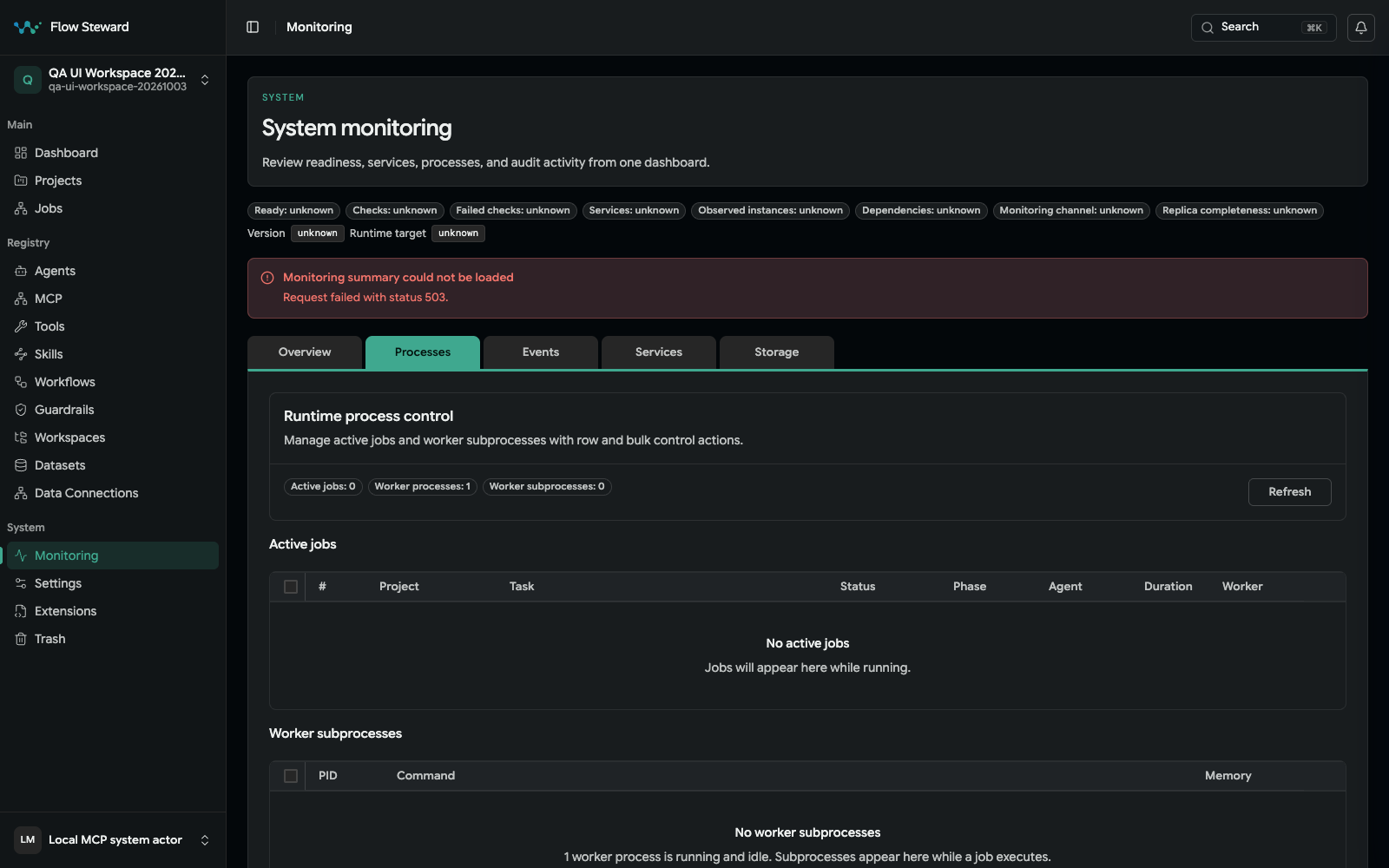
The Processes tab in the isolated fixture. Its monitoring summary endpoint returned 503 during capture, so use the screenshot to locate controls, not as a health attestation.
- Open
Monitoring. - Check services and worker liveness.
- Compare ready queue depth with active leases.
- Open the oldest pending or running jobs.
- Inspect job logs, messages, runtime journal, and structured errors.
- Check extension health, model provider status, dataset availability, and external endpoints.
- Review recent deployments, configuration changes, and provider credential rotations.
- Decide whether to retry, cancel, restart, or leave the job paused for human review.
Retry safely
Retry when the failure was transient and the step is safe to run again. Examples include provider timeouts, temporary network failures, missing worker capacity, or a credential that has been fixed.
Do not retry blindly when the failed step may have already changed an external system. Check for duplicate issue creation, repeated notifications, repeated approval callbacks, or repeated writes before replaying work.
Dead-letter review
Dead-lettered records need operator attention because normal retry policy has already failed.
There is no universal record-level DLQ requeue control in the current Monitoring UI. Recovery is owned by the affected subsystem:
- for an eligible event, open its Events detail and use Redrive failed dispatches; see Events And Redrive;
- for a job, use the state- and policy-specific retry, restart, cancel, or watchdog recovery exposed on that job;
- watchdog kill/retry is administrator-only, and retrying an active job can conflict unless the owning recovery contract explicitly permits force.
For each dead-lettered record:
- Read the final error.
- Identify the owning job, event, route, or provider.
- Fix the root cause before requeueing.
- Use the owning event/job recovery path for one item first when duplicate side effects are possible; do not look for a generic queue requeue button.
- Leave unrecoverable records in the DLQ with an incident note.
Concurrency changes
Treat concurrency as a production control, not a tuning trick. Increasing it can raise provider load, model cost, database pressure, queue contention, and the number of simultaneous approval decisions.
Before increasing concurrency:
- confirm workers have CPU and memory headroom;
- confirm providers and extensions can handle parallel calls;
- confirm rate limits and model budgets are not already saturated;
- run a low-risk workflow after the change;
- watch retry and dead-letter rates for at least one normal work cycle.